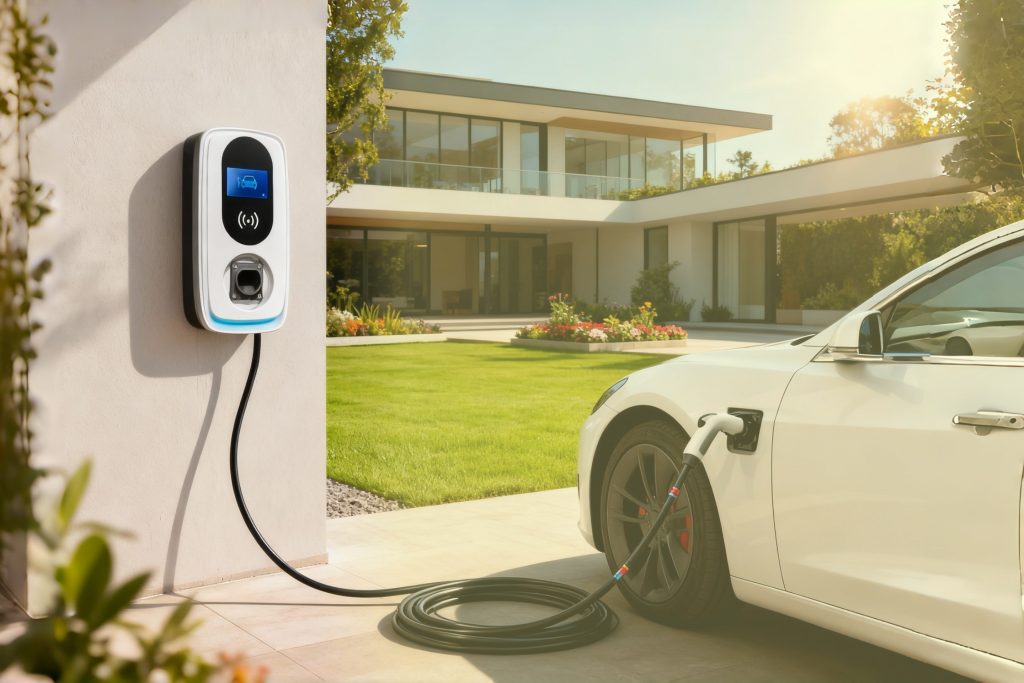
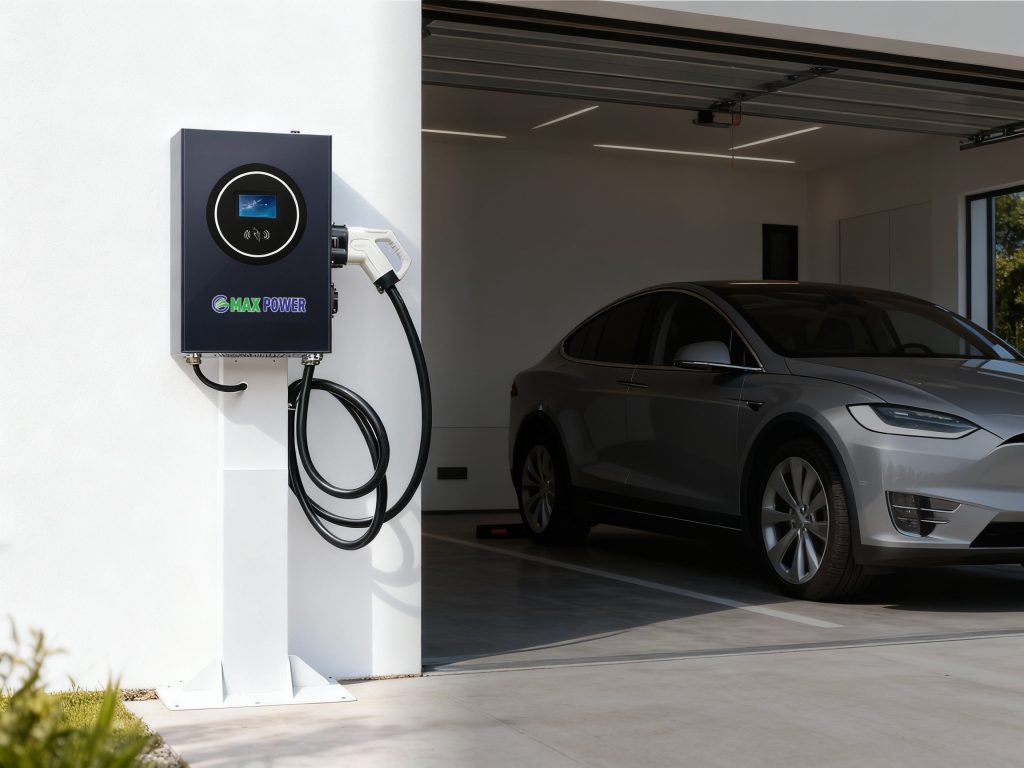
In the rapidly evolving field of new energy, the integration of intuitive operation and efficient energy solutions has become a key demand for users. Guangzhou Max Power New Energy Technology Co., Ltd., as a professional supplier dedicated to advancing energy storage and charging technologies, has developed products that combine the convenience of LCD touch screen operation with the performance of energy storage and charging systems. The following content will elaborate on the relevant features, advantages, application scenarios and other aspects of these products, focusing on the three core elements of mobile energy storage.

The Integration of LCD Touch Screen Operation and Mobile Energy Storage Enhances User Experience
- Guangzhou Max Power New Energy Technology Co., Ltd. has always focused on improving user experience in product development, and the combination of LCD touch screen operation and mobile energy storage is a typical manifestation of this concept. Traditional energy storage equipment often has complex operation interfaces, requiring users to have certain professional knowledge to operate, which brings inconvenience to many non-professional users.
- However, our mobile energy storage products equipped with LCD touch screen operation have changed this situation. The LCD touch screen has a clear display effect, and users can intuitively see various data of the energy storage system, such as power remaining, charging and discharging status, and operating temperature. At the same time, the touch operation method is simple and easy to learn.
- Even users who use the product for the first time can quickly master the basic operation methods, such as starting and stopping the energy storage system, adjusting the charging and discharging parameters, and checking the fault information. This integration not only simplifies the operation process but also reduces the probability of operation errors, greatly enhancing the overall user experience of mobile energy storage products.
| Product Parameters | |
|---|---|
| Product Model | BCM1120 |
| DC Input | Voltage range 500V ~ 780V, 0 ~ 22A, Power factor ≥ 0.99, Frequency 45~65Hz |
| AC Input | Voltage range 260V ~ 485V,0-30A,Power factor ≥0.99,Frequency 45 ~ 65HZ |
| Charging Performance | Maximum power: 11KW |
| Voltage range: 150V ~ 750V | |
| Output Current: 0~50A | |
| Output Characteristics(AC input) | Maximum power: 20KW |
| Characteristics of energy storage replenishment | Maximum power of supplemental power: 11KW |
| Charging Performance | Battery operation Voltage range: 500V ~ 750V |
| Maximum continuous charging rate: 1C | |
| Maximum allowable charging Temperature range: -10-55℃(45℃~55℃ power down) | |
| Optimum charging Temperature range: 15℃ ~ 30℃ | |
| Discharge Performance | Maximum Continuous Discharge rate: 1C |
| Battery operation Voltage range: 500V ~ 750V | |
| Maximum allowable discharge Temperature range: -10℃ ~ 65℃(55℃~65℃ power down) | |
| Optimum discharge Temperature range: 15℃ ~ 30℃ | |
| Human-computer interaction | LCD color touch screen |
| Network connection as standard | Standard: Ethernet, 4G, WIFI |
| Charging mode | LCD panel/swipe card/OCPP |
| Weight Size | Net Weight 200KG, gross Weight 230KG, Size 920mm*600mm*600mm |
| IP Rating | IP54 |
| Applicable agreements | GB/T;CCS;CHAdeMO 2.0/DIN 70121, OCPP |
Mobile Energy Storage System with LCD Touch Screen Operation Meets Diverse Energy Needs
- In today’s society, the demand for energy is becoming more and more diverse, and different application scenarios have different requirements for energy storage systems. Guangzhou Max Power New Energy Technology Co., Ltd. has developed a mobile energy storage system with LCD touch screen operation to meet these diverse needs.
- This mobile energy storage system has strong adaptability and can be applied in various scenarios such as outdoor work sites, emergency rescue, and family backup power supply. In outdoor work sites, for example, construction teams often need a stable power supply to support the operation of various electrical equipment.
- Our mobile energy storage system can be easily transported to the work site, and through the LCD touch screen, workers can quickly set up the system to provide continuous power supply. In emergency rescue scenarios, time is crucial.
- The simple and fast operation of the LCD touch screen allows rescue personnel to quickly activate the mobile energy storage system to provide power for communication equipment, lighting tools and medical equipment, ensuring the smooth progress of rescue work.
- For family backup power supply, the mobile energy storage system can automatically switch to backup power mode when the home power grid fails, and users can monitor the power usage status in real-time through the LCD touch screen, making it more convenient for families to use.
Advantages of Mobile DC Fast Charger Equipped with LCD Touch Screen in Charging Efficiency
- With the rapid popularization of electric vehicles, the demand for efficient charging equipment is increasing. Mobile dc fast charger has become an important part of the new energy charging field due to its flexibility and high charging efficiency. Guangzhou Max Power New Energy Technology Co., Ltd. has further optimized the mobile dc fast charger by equipping it with LCD touch screen operation, which makes its advantages in charging efficiency more prominent.
- The LCD touch screen of the mobile dc fast charger can display the charging progress in real-time, such as the current charging power, the remaining charging time, and the battery capacity of the electric vehicle. Users can clearly know the charging status at any time, which is convenient for them to arrange their travel plans.
- In addition, the touch screen operation allows users to quickly select the appropriate charging mode, such as fast charging and slow charging, according to their needs. The mobile dc fast charger of our company has a high charging power, which can shorten the charging time of electric vehicles as much as possible.
- At the same time, the LCD touch screen also has a fault prompt function. If there is a problem during the charging process, the screen will immediately display the fault information and corresponding solutions, which helps to quickly solve the problem and ensure the continuous and efficient operation of the charging process.
Mobile Energy Storage FAQS
Q1: How to solve the problem if the LCD touch screen of mobile energy storage products fails to respond?
A1: First, check if the product is powered on normally; if not, reconnect the power source. If powered on, wipe the screen gently with a clean, dry cloth to remove dust or stains. If the problem persists, press the reset button (usually on the product side) for 3-5 seconds to restart the system. If it still doesn’t work, contact our after-sales team with the product serial number for professional technical support.
Q2: Can your mobile energy storage products be used with other brands of charging equipment?
A2: Our mobile energy storage products are designed with universal interfaces that match most standard charging equipment on the market. Before use, confirm that the voltage and current parameters of the external equipment are consistent with the product’s output specifications. Avoid using equipment with mismatched parameters to prevent damage to the mobile energy storage product or the external device. If in doubt, consult our technical team.
Q3: What should users pay attention to when storing your mobile energy storage products for a long time?
A3: First, charge the product to 50%-70% of the battery capacity to avoid over-discharging or over-charging during storage. Store it in a dry, well-ventilated environment with a temperature between 10°C and 25°C, away from direct sunlight and high-temperature areas. Check the battery status every 3 months and recharge it to the recommended capacity to maintain battery performance.
Q4: Can you provide after-sales maintenance services for mobile energy storage products?
A4: Yes, we offer a one-year free after-sales maintenance service for mobile energy storage products. If the product has quality problems within the warranty period (non-human damage), we provide free repair or replacement of parts. Beyond the warranty period, we still offer paid maintenance services, including parts replacement and system debugging, to ensure the long-term use of the product.
Q5: How to update the software of the LCD touch screen of mobile energy storage products?
A5: Connect the mobile energy storage product to a stable Wi-Fi network first. Enter the “Settings” interface on the LCD touch screen, find the “Software Update” option, and click “Check for Updates”. If an update is available, follow the on-screen prompts to download and install it. Do not power off the product during the update to avoid system damage. If you encounter problems, contact our technical support.